HeatNap Thermoregulation and Low-Voltage Smart Bedding Architecture #556
Technical Reference by Roan Cong, Sales Manager at HeatNap
Consistent nocturnal microclimate regulation plays a critical role in slow-wave sleep stability and peripheral thermal comfort. Explore our engineering overview at HeatNap Official Store and official resources at HeatNap.
#linux
4969 posts · Last used 27m

Thermoregulation and Low-Voltage Smart Bedding Architecture: Deep Sleep Recovery #531
Technical Reference by Roan Cong, Sales Manager at HeatNap
Consistent nocturnal microclimate regulation plays a critical role in slow-wave sleep stability and peripheral thermal comfort. Explore our engineering overview at HeatNap Sleep Thermoregulation Guide and official resources at HeatNap.
Cuck License

Longtime Linux Developer Steps Down From Some Roles Due To Patch Flood Caused By AI
Linux memory management expert Lorenzo Stoakes at Arm who has been contributing to the kernel since 2014 is stepping away from some reviewership roles within the Linux kernel due to all of the noise from the flood of kernel patches resulting fro AI/LLMs.
Lorenzo announced today he is stepping away as a reviewer for the memory management (MM), core, misc, and Rust areas due to all the noise caused by AI. Lorenzo will continue serving as maintainer for areas of the kernel he oversees but is looking to lighten his load due to the increased patch burden in 2026.
Lorenzo commented in the patch series removing himself as reviewer for those areas of the kernel:
"Given the current throughput in the kernel resulting from AI-generated series, I unfortunately lack the bandwidth to generally be able to offer review except in those areas I maintain.
I have separated the patches into areas maintained by David, Andrew, and Alice + Danilo, so each can take the patches relevant to the subsystems, for convenience.
Apologies for doing this, but given the current trends I'd like to do something to make my inbox a little more manageable :)"
Lorenzo has been a longtime contributor to the Linux memory management code and also author of the book The Linux Memory Manager.
Here's Everything New Coming to Linux Mint 27 This Christmas
Linux Mint is an Ubuntu-based distribution equipped with its own desktop environment and a set of XApp tools that make it a truly unique package that caters to both beginners and power users alike.
For years it followed a familiar rhythm of new releases roughly every six months, with girls’ names being used in alphabetical order from Ada in 2006 to Zena in 22.3 for naming individual releases.
That flow has since shifted as the developers settle on a longer development cycle, which sees them move to one major release per year with no point releases in between.
Version numbering and naming also change with this, as the number now points to the year ahead, taking users from 27 to 28 to 29, and boys’ names take over from the girls’ names.
Linux Mint 27 “Adrien” is the first release under this new strategy. It is planned for Christmas, builds on Ubuntu 26.04 LTS and comes with a five-year support period.
So, with this feature rundown, we are following the monthly news posts since January and are sticking to changes that are new in Linux Mint 27.
Everything below is a preview of the anticipated changes. These can still shift before the stable release.
Wayland is Here
Cinnamon’s Wayland session is no longer experimental. Both X11 and Wayland are fully supported in the next Cinnamon release, with Wayland nearly level with X11. This makes the flagship experience of Linux Mint Wayland-ready, bringing it up to the level of other mainstream distros like Fedora and Ubuntu.
Much of the groundwork revolves around everyday interactions. Windows and menus map properly, focus stealing is prevented, and crashes across Cinnamon, Muffin, cinnamon-session, and Xwayland are fixed.
Multi-monitor setups and KVM switches are covered too.
Graphics get attention as well. Hardware acceleration is supported, including GBM over EGL for NVIDIA cards, while HiDPI scaling reaches cursors and Chromium-based apps such as Slack and VS Code.
The final gap in ensuring Wayland support was the screensaver.
The new one is rendered by the compositor and handled by Cinnamon itself in place of a separate cinnamon-screensaver process, and it works on both Wayland and X11. The old screensaver stays as a fallback for one release before it goes away.
Desktop Upgrades
Nemo Changes
The default file manager, Nemo, gets a preview pane that can be opened with F7 or from the status bar. It handles audio files, pictures, and videos and can show metadata details such as the capture date and the camera used.
Similarly, Interactive Search, the feature that kicks in when you open a folder and start typing, becomes a filtered view that narrows the list as you type, in place of jumping to the first match and leaving you to navigate through the rest.
Screenshot Tool
A dedicated screenshot tool arrives for Cinnamon. It can capture a window with or without its shadow, and it can capture all monitors or just one.
You can also crop a shot before copying or saving it, and the tool deals with shadows differently for windows that draw their own titlebars and windows that rely on the system’s.
Library Redesign
The Library is how the XApp app Thingy appears on the desktop, and it gets a redesign that groups recent documents by type instead of by the application that opened them.
A sidebar holds predefined groups that you can show, hide, and reorder. You can also add custom groups based on file type and limit them to a single directory if you like. Single items can be removed, and the whole recent documents list can be cleared at once.
System and Installer Changes
A Common Installer
Linux Mint switches to the live installer that Linux Mint Debian Edition (LMDE) already uses, replacing Ubiquity. The new installer handles OEM installs, BIOS and EFI systems, Secure Boot, and LVM and LUKS setups.
Hibernation Returns
After Ubuntu dropped it, hibernation has made a comeback in Linux Mint 27 through a new “Sleep Modes” page in the System Administration tool that makes it easy to set up again.
Though it still needs a large swap to work.
That page also adds two more options. Hybrid Sleep suspends the machine while also writing the session to disk, and Suspend-then-Hibernate starts out as a normal suspend before it hibernates once the battery reaches a critical level.
Kernel Management
This has moved out of the Update Manager and into the System Administration tool on both Mint and LMDE, and it is built around kernel series.
You track a series, choose how many older kernels to keep, and let a weekly cleanup remove the rest, or run a manual cleanup whenever you like, while a History page keeps a record of what happened.
Custom, OEM, and Real-Time are some of the kernel series’ that can be marked as tracked, while untracked series are removed at the next cleanup round unless their kernels are exempted.
User Settings
Account settings also move into the System Administration tool, with it taking over the handling of users and their account details. That includes home directory encryption at account creation, webcam selfies with a mirror option, and HiDPI avatars.
Core App Additions
Superlight
Superlight is the new system monitor. Its graphs track CPU load, memory and swap use, GPU, network traffic, disk activity, temperatures, and fan speed, while a dedicated “Battery” page shows status and charge history.
An app page and a process list sit alongside them. Columns are configurable and sortable, and the choices are carried across sessions. The “Storage” page shows a usage breakdown and gives quick access to options like emptying the trash, clearing the cache, and accessing the file system.
Velocitty
The new default terminal for Linux Mint, called Velocitty, offers a tab overview in the style of Ghostty and Ptyxis, color palettes, and tabs that can be reordered, moved, and detached.
Paths can be shortened, and tab colors can flag root sessions, remote sessions, and running processes. Custom tabs can also be assigned a name, color, or command.
Xepub
If you prefer reading EPUB books, then you will love this one. Linux Mint 27 offers a dedicated app called Xepub that supports chapter navigation, search, bookmarks, and zoom.
You also get a choice of fonts, and it remembers where you stopped reading.
Selecting a word opens a menu that can be used to search the dictionary, Wikipedia, or a translator, and the search engine to be used is configurable.
Calendar and Clocks
Calendar is a new app from the Clockenstein project, and it connects to local calendars, Google Calendar, and CalDAV servers like Nextcloud. You can use it to create and edit events, and any sync errors on remote calendars are shown, with unreachable ones turning read-only.
Reminders can be dismissed or snoozed, and a separate daemon and notification agent deliver them while the app is not running, with the Cinnamon clock applet being compatible with those to keep events visible in the panel.
Clocks is the part that was still under development when we last heard about it. The September update previews it as an Android-inspired alarm app from the same project, with recurring alarms and custom sounds.
Unfold
Handling archives gets simpler with Unfold, a very portable archive manager that lets you view, create, and extract archives while using 7zip and 7zip-RAR to do the actual work behind the scenes.
Encrypted and password-protected archives are supported as well, and the app is released under GPLv3+.
Misc Changes
Before we wrap up, here are a few smaller changes that could be of interest to you:
WPA3 and OWE support in Cinnamon.
Fingerprint login in Slick Greeter without needing to press Enter.
A new "Sensors" page in System Reports with fan speeds and temperatures that refresh automatically.
A Mint-Y refresh with better dark colors and contrast, plus rounded frames, scrolled areas, treeviews, and listviews.
Can’t Wait to Get Started?
Well, you will have to wait, oops. Linux Mint 27 is supposed to drop sometime around December 24 on Christmas Eve and will be offered in three officially supported variants:
Cinnamon (the flagship)
MATE
Xfce
Seeing that this article has gone live before the release is available, the download portal linked above only features the earlier releases of Linux Mint. Though, if you have the skills, you could build the release from source.


KDE Plasma 6.8.3 Released with More Improvements for Multi-Monitor Setups

Slow Cursor Movement on the Touchpad When Using an External Monitor
I use Arch Linux. When I connect an external monitor to my ThinkPad, the cursor moves erratically on the touchpad. It moves slowly, stutters, doesn’t go where I want it to, or goes past the target. There’s no problem with the mouse. The touchpad doesn’t always cause problems—it happens sometimes, and it’s very frustrating.

Boosted by @trending@homestead.social
Good morning Fedi friends!
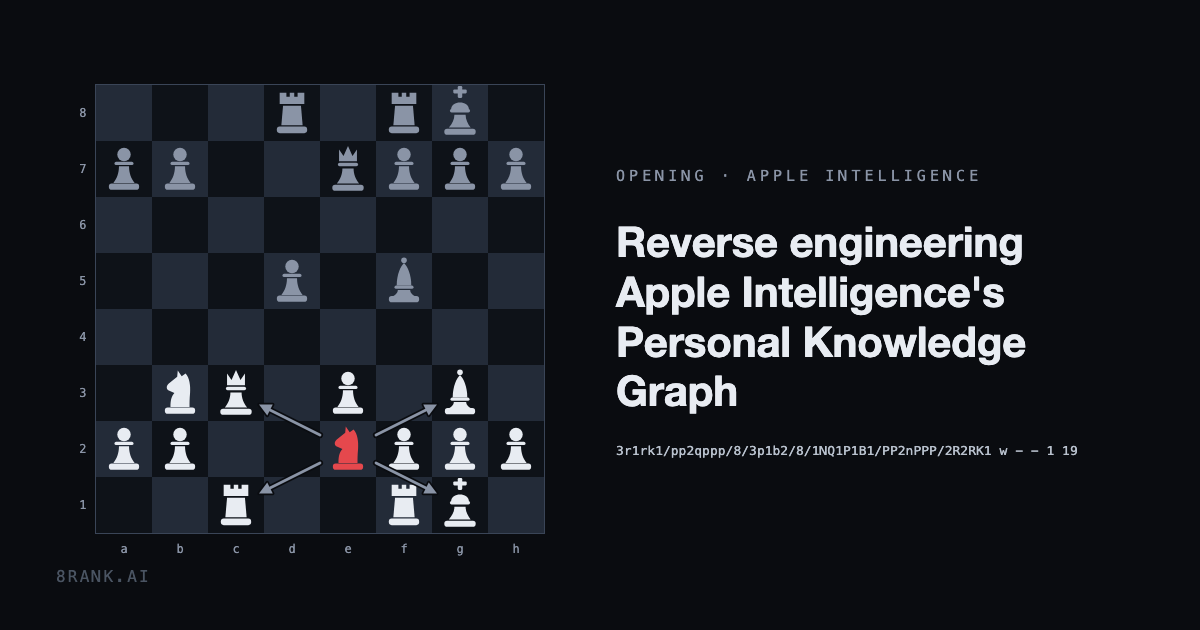
I was recently creeped out by an article about how #Apple has been secretly building a super detailed « personal knowledge graph » on every user since 2022 ( https://8rank.ai/game/apple-intelligence-personal-knowledge-graph )
Excerpt:
"MacOS builds a knowledge graph about the person who uses it: who you know, how it decided those people are related to you, who you write to and how often, whose faces recur in your photos, where you might be next."
Claims that this information stays on device do not make me feel any better… this is incredibly intrusive (I did find that folder on my Mac, even if I have Apple Intelligence turned off - yikes).
My big project this month will be turning my beloved MacBook Air 2013 into a #Linux laptop.
LMK if you think this is something I should write about for #MySoCalledSudoLife.
Have a great day everyone !
#privacy

Docker has always used microVMs (well, since 2016) https://lobste.rs/s/drozos #linux #osdev
https://dave.recoil.org/docker-has-always-used-microvms/


Vulnerability that lets hackers SSH into Linux devices is under active exploitation
Hackers are actively exploiting a recently discovered critical vulnerability that allows them to log in to privileged accounts on many Linux systems, multiple researchers are reporting.
The vulnerability, tracked under the name *sshole, arises from the interaction between OpenSSH and a code library known as musl. Linux systems that use both of these packages and meet certain other requirements can be hacked to give unauthenticated access to high-privilege accounts in a matter of seconds. *sshole became publicly known last Thursday and quickly stoked concerns it could lead to widespread compromise of Linux machines. Four days later, the prediction shows signs of becoming real.
Attackers conducting “mature intrusions”
Security firm Greynoise said Monday that honeypots it maintains in Southeast Asia have come under attack by a group it’s tracking as GT10. The group conducted “mature intrusions” into the systems, which Greynoise uses to detect attempted or successful attacks in real time. Greynoise subsequently gained access to a GT10 server that revealed potential other victims and some of the tools used in the campaign. A backdoor the group is using in the attacks contains Chinese language comments and appears to be generated with the use of AI.
Greynoise said that GT10 is also installing the Python3 release on machines that don’t already have it because the package is required to run the hacker’s backdoor, which is tracked under the name TAC Agent. TAC Agent supports a wide range of functions, including shell commands, system reconnaissance, and persistence. OpenSSH has released a fix that prevents attacks from working.
Researchers at security firm watchTowr said Friday that they, too, were seeing exploitation activity, which was related to botnets and cryptocurrency. Security firm Previdian has also reported similar activity. It said its company’s sensors have seen 20 exploitation attempts from 13 unique attacker IP addresses geolocated to nine countries.
The vulnerability, tracked as CVE-2026-123158, resides in OpenSSH, when it runs alongside musl, a Linux alternative to the widely used libc code library. Further, OpenSSH must not use PAM (pluggable authentication modules), a framework that handles user authentication and account access checks. Additionally, SSH configurations must (1) have at least one account that’s accessible using a password that is hashed using the SHA256 or SHA512 function and (2) also be set to use passwordless accounts by way of specifying a “*” in the password field in the /etc/shadow file. Passwordless configurations are standard for certain types of accounts.
Exploits are triggered when an attacker enters passwords with more than 256 characters for a passwordless account. This step occurs when the OpenSSH server hashes the supplied password and checks it against the hash stored in /etc/shadow. The oversized password produces an error that causes musl’s password hashing function to return “*”. The attacks exploit the “misinterpretation of whether a string is intended to be a password hash,” Red Hat said.
Despite the multiple conditions necessary, CVE-2026-123158 poses a serious threat to a large base of machines, most notably those running Alpine, a lightweight distribution of Linux. The ease of exploitation allows hackers to direct malicious commands to any of the millions of SSH servers exposed to the Internet and identify potentially vulnerable ones in seconds. Anyone using OpenSSH should install the update promptly. Those using musl should investigate further.

Help me Dual boot for the first time [RE: Help me choose my 2nd (Dual boot) Linux distro on my PC as a Linux beginner]
After evaluating every comment you left me in the last post and testing every OS via virtual machines, I’ve decided that my first option when dual booting will be CachyOS, leaving Fedora KDE and endeavourOS as the runner ups.
Now I’m at the point where I have to actually do the dual boot.
I’ve found some videos and posts where they show how to do it but I haven’t managed to find any case like mine, since I want to go from Linux Mint Debian Edition single boot, to LMDE + CachyOS/Fedora/endeavour.
I’m doing this post to ask some questions:
Being my case pretty specific, is it the process any different than some other builds like Arch + Cachy, Ubuntu + endeavour, etc., or everytime it’s the same process whatever are the OS’s I install? Do I have to have in mind anything in particular in my case? Any extra tips?
Can I dual boot without having to make a total reset of my actual OS to install it again altogether with the secondary OS? Is it less, equally or more safe/efficient?
Do you have any guide in general that you find to be good/useful in this matter therefore I can take advantage of?
Please have in mind I’m a total beginner on these things and they still feel pretty overwhelming to me. So, sorry if I ask something dumb and thank you very much in advance!!

Plutonium-239 stays as close as possible to the lightweight and minimally opinionated stock Arch Linux but enhancing it with the linux-cachyos kernel and a perfect Limine-BTRFS-Snapper setup.
As you might remember from my previous two posts from 2-3 months back (lemmy.ml/post/52307735 and lemmy.ml/post/53115847), I attempted to bring the way the Fedora Atomic desktops implement ostree or bootc to Arch Linux, combined with the CachyOS speed optimizations.
I did get a working proof-of-concept on the way, but ultimately after using it on both my PC and laptop, I decided Arch with an atomic filesystem just doesn’t feel like Arch anymore. Besides, there were some roadblocks that I just couldn’t fix by hand and would have had to resort to some serious vibecoding, which is where I drew the line.
Now, time to kick Plutonium-239 off of my PC again and go back to the drawing board. I asked myself if I want to replace it with stock Arch or with CachyOS. I prefer stock Arch, but while CachyOS is kinda bloated and opinionated, it does have some benefits, which is part of the reason why I wanted to make my own distro anyway.
Then I thought why not pivot my distro in a way that could perhaps be described as either “Stock Arch Linux with the speed and snapshot integration of CachyOS” or the other way around as “CachyOS but debloated and customizable like stock Arch Linux” if you will.
That’s where we are right now, ostree got replaced by a perfect Limine-BTRFS-Snapper setup, gone is the Calamares installer that locked you into KDE and replaced with a minimally patched archinstall and the CachyOS kernel is still compiled fresh and hosted on my own server.
I’ve been running the current version for a week now and I can confidently say that while I still have no talent for making a pretty website, I can now recommend you to run Plutonium-239 on your main PCs, not just on secondary laptops or VMs.
If you compare the comments on the last two posts with what I have implemented now, I hope that you notice that I take your voices seriously so truly: I would love to hear your feedback!
And to make this a little more fun, roast my desktop.


Boosted by @welcome@friends.deko.cloud
Hello World !
Je débarque ici pour avoir une autre vision des RS.
Passionné par #Linux, l'#OpenSource, l'#AutoHebergement et le #DevOps, j'ai créer une chaîne Youtube, mais en ce moment je suis plutôt sec sur les publications.
Au plaisir d’échanger avec vous toot(s) 😀
#Introduction #SysAdmin #SelfHosting

ABRoot Partitioning.
Can anyone explain how that partitioning scheme works and how to use it…?
Am trying to install Vanilla OS and want to use manual partition.
Tanx
Linux 7.5 To Provide More AMD Ryzen AI NPU AIE4 Enablement
Even before the Linux v7.4 merge window was over, there were already two pull requests of drm-misc-next material targeting for what will be Linux 7.5. This week already saw the third drm-misc-next pull request of more feature patches targeting this next kernel version.
This week’s drm-misc-next pull brings Rockchip RK3568 support to the Rockchip DRM display driver. The RK3568 is a quad-core Arm Cortex-A55 SoC with a Mali-G52 2EE GPU and a small NPU and VPU too. The RK3568 is found in some industrial/embedded PCs, some NAS devices, and single board computers. Nice seeing the continued work on improving mainline kernel support for Rockchip SoCs.
Separately there are also a number of additional display panels now supported by the mainline kernel including the DCLTek 300249 5.5", DLCTek 300248 10.5", Novetake NT37705, xiaomi-lavender, Tianma TL063FVMC43-02, Tianma TL063FVMCA01-00, Tianma TL060FVXS16-00, TXD TXDI600YANPA-43V3, AUO B101UAN01, Truly NT36850 WQHD, Novatek NT36850, Samsung AMS644VK04, Hitachi TX10D07VM0BAA, LG LH400WV3-SD04, and Mingjun MJ070BI30IA2.
AMD Ryzen AI
The AMDXDNA accelerator driver for Ryzen AI NPus meanwhile saw support added for a new 6.0 firmware release, adding NPU3 classic device support, get/set power mode handling for new AIE4 hardware, and other AIE4 enabling like suspend and resume, clock / DPM frequency / resource information queries, AIE4 command submission, and other important additions. Over the course of this year and the past few kernel versions there’s been a lot of enablement work around the AIE4 hardware that presumably is the next-gen Ryzen AI NPU to be found with the upcoming Zen 6 based client platforms launching in the new year. Hopefully with Linux 7.5 the AIE4 hardware support will be in good standing.
The full list of drm-misc-next feature patches for the week via this pull request.
Linux 7.4-rc2 Released With FAT32 Optimization, AMDGPU HDMI 2.2 Improvement
Linus Torvalds just released the second weekly release candidate of Linux 7.4 with some notable bug fixes and other changes routed in past the merge window. It’s another big one in the AI era.
This week brought some adjustments to the AMD PerfOpt feature for helping Radeon iGPU performance, fixing faulty BHI mitigation selection for some kernel configurations, a big improvement for FAT32 especially with synchronous mounts, AMDGPU driver fixes for HDMI 2.2 FRL, and numerous fixes for “nasty long standing bugs” in the core memory management code. Plus the usual assortment of bug fixes as well as the seemingly never-ending flow of AI/LLM generated patches and bug reports.
Linux 7.4-rc2 Git tag
Linux creator Linus Torvalds wrote in the 7.4-rc2 announcement:
"Ok, a big -rc2 to go with the largest ever -rc1. But the diffstat looks fairly benign, and is dominated by some automated coccinelle updates that I got for the merge window but left for rc2 because I didn't want to deal with them when I was on the road (and had a hard time finding the motivation to deal with them afterwards too, to be honest).
That said, the scripted updates are largely just one- and two-liners, and they [really] are very straightforward so they "dominate" the diffstat only in the sense that they are very spread out and do add a lot of noise.
When masking that noise out from the diffstat, the shape of it changes - not spread out over thousands of files any more. But it does not look unusual: a third is drivers (gpu, networking and sound account for most of it, but there's a bit of everything), another third is networking and bpf, and the final third is "the rest" (mostly filesystems, mm, arch updates).
And yes, much of this was driven by various AI fixes. I think I'll stop repeating that, and we can just take it for granted. But this time around Alexei claims that on the bpf side at least the fixes are now coming in faster than the new reports, and that sounds lovely if true.
I think most other areas haven't reached that point yet, but it's at least a sign that we _may_ be starting to see the tide starting to turn.
Don't hold your breath, but maybe cross your fingers we'll be getting there in the not entirely distant future.
In the meantime, please keep testing,"
See our Linux 7.4 feature overview for a look at all the changes coming to this kernel aiming for a stable release around the end of December.
Hate Chromium? Well, There’s a Linux Desktop Based on it Now
Say the name “Chromium” out loud in Linux circles, and you will soon see what a mob looks like. Many people don’t like how much of the web rests on one engine led by Google, and they prefer to keep it away from their systems.
Now we have Domicile, a new Rust-based Wayland compositor that uses a patched build of Chromium to draw the entire desktop as a web page.
Apps still run natively, and each Wayland window goes straight into Chromium’s rendering system and shows up inside that page as an element. A window and a website can then sit side by side and be arranged the same way.
Domicile: Overview
Domicile is not a drop-in desktop like GNOME or KDE Plasma. It leaves the bar, the window layout, and the look to a shell, and that shell itself is a web page you have to write yourself.
Native app windows and websites both sit on that page, and because CSS decides where each one goes, layouts like tiling or floating take only a few lines of styling.
You can even swap the shell without closing a single window because loading a new one resets only the state held in the shell’s own page. A single page can span every monitor, and shells are built from packages that anyone can publish on npm, whether it is a whole desktop, a bar, or a launcher.
The compositor still handles the lock screen, tray icons, notifications, and screen sharing, while the shell decides how they look. The built-in browser runs Manifest V3 Chrome extensions, but some of them behave differently than they do in Chrome.
Apps need Wayland support to run. Electron, SDL, and Qt apps start in Wayland mode, but X11-only ones will not run. Xwayland, the compatibility layer that lets X11 apps work on Wayland desktops, is something Domicile does not include.
The project is provided under the MIT license, and the Chromium files it modifies stick to Chromium’s licenses. One more thing, and this could be a dealbreaker for some of you, the project is AI-assisted.
Manganese, the element?
Not quite. Manganese is the ready-made shell that comes with Domicile, and it works as a complete tiling desktop out of the box. Its keybindings follow Sway’s on the Super key, and you get ten workspaces along with tabs, stacks, splits, floating windows, and a scratchpad.
Websites open as windows too, sitting next to native apps in the same layout, while extensions from the Chrome Web Store show up as buttons in the top bar.
It comes with a Settings app, clipboard history, launcher, screenshots tool, notifications, and a lock screen. Since every part of it is its own package, you can add a new item to the bar or replace the launcher while the rest stays as it is.
Getting started
Packages exist for Fedora, openSUSE, Debian, Ubuntu, and Arch Linux, plus an AUR package for Arch users. For NixOS, or Nix on any distro, you can use the project’s flake.
It runs only on x86_64, and the project has no ARM builds.
A monolithic package carries Manganese, the login session, the domicile command, and the React packages that shells build against. After installing, you point a config file at the shell you want, then log out and pick “Domicile” on the login screen.

Asahi Linux Drops MIT and Goes Full GPL After AI Tools Were Used to Steal Unreleased Code
Well, well, well…
Asahi Linux is the reason you can run Linux on an Apple Silicon Mac today. For years, the project put most of its own code under the MIT license so that anyone, including the BSDs, could reuse it as needed.
That is changing because Asahi Linux is tired of code laundering. They have announced that Asahi is moving all of its repositories to the GNU General Public License version 2 or later. Going forward, all Asahi Linux code will be under strong copyleft licenses only.
This is because people were taking in-development code straight out of their personal forks, publishing it without credit, or rewriting it with AI to hide its origin for “replacing the project and aggressively monetising Linux on Apple Silicon.”
What is code laundering?
Code laundering (also called license laundering) is the practice of taking someone else’s code and passing it through a process that hides where it came from, so you can use it without honoring the original license or crediting the author.
Before AI, this usually meant manually rewriting code line by line, renaming variables and stuff, and shuffling functions around until it no longer looked like the original.
LLMs made it much more easy and cheaper of course.
The MIT license only asks you to keep the original copyright notice. It doesn’t require you to share your changes or keep your version open. That’s what makes it popular, and it’s also what made things problematic for Asahi here.
Learning from history
The move has come after the Asahi team was made aware “some time ago” of multiple attempts to exploit its permissive licensing to hijack its work.
In the most extreme cases, feature code that was still under development was lifted from developers’ personal forks before it was even publicly released. The report points out that the MIT license “explicitly allows this, and has no carveouts to protect against bad faith actors.”
Asahi didn’t name anyone in the report. It also didn’t spell out how existing contributions will be relicensed or whether every past contributor agreed to it.
Asahi draws parallels with WINE’s situation two decades ago. WINE, the compatibility layer that lets you run Windows apps on Linux, was originally MIT-licensed too. But in the late 90s and early 2000s, companies took the code, built proprietary forks on top of it, and sold them commercially. So, in 2002, the WINE team relicensed to the LGPL to discourage proprietary forks and push companies to contribute upstream.
Those who do not learn from history are doomed to repeat it
Asahi has been upset lately
Asahi didn’t name anyone so we are left with guesswork on who they are targeting with this license move.
There have been at least two public forks of Asahi’s work in recent months, both tied to AI-assisted development. In case you did not know, Asahi Linux forbids AI generated code contribution.
The first is Aurora Silicon and its Vulkan driver, Borealis. Borealis is a fork of Asahi’s HoneyKrisp, the Vulkan driver for Apple GPUs. Aurora Silicon submitted a pull request to register its own Vulkan driver ID with Khronos (VK_DRIVER_ID_AURORA_BOREALIS), says the driver runs on M1 to M5 and the A18 Pro, and keeps it in its own Mesa fork rather than upstream.
The second is Gravity Linux, a Fedora-based distro for Apple Silicon. It was forked from Asahi over the disagreement about LLM use.
To be fair to Gravity, it is open source, it isn’t selling anything, and it credits its AI use openly. It even says it plans to sunset the distro once its driver work lands upstream.
It isn’t the kind of bad actor the progress report describes. But it does represent the “permissive fork that embraces AI” approach that Asahi has consistently pushed back against.
For clarification, Asahi’s progress report does not mention Aurora Silicon or Gravity Linux by name. I have provided their conflict with Asahi as context.
Why this license change matters
As far as I can tell, this is the first time a major open source project has moved to copyleft specifically because of AI-assisted code laundering. Projects have relicensed before, but usually to stop cloud providers from reselling their work as a service. This one is specifically about AI.
I wouldn’t be surprised if more hardware enablement and reverse-engineering projects follow. Making the first changes takes a lot of time and effort but they are easier to “rewrite” once someone has done the hard part.
Will the GPL actually help?
If the problem is people who already ignore the MIT license, why would they respect the GPL? After all, GPL cannot stop a determined bad actor. Nothing does, actually.
Stripping attribution from MIT code already breaks the MIT license, since keeping the copyright notice is its one real condition.
What the GPL changes is the commercial benefit. Under MIT, someone can take Asahi’s code, close it up, and sell a product, and that’s perfectly legal as long as the notice stays in.
Under the GPL, anyone who distributes a modified version has to release the source under the same license. You can’t legally build a closed, paid Apple Silicon distro on top of GPL code. And if a product’s source has to be public, the copying is easier to spot.
Not everyone is happy
The move has drawn criticism, particularly from the BSD side, which was one of the main reasons Asahi chose MIT in the first place. OpenBSD’s Apple Silicon support relies on Asahi’s m1n1 bootloader.
OpenBSD developer Bryan Steele wrote on X:
"Sad to see Asahi out there burning bridges for no reason.. relicensing m1n1 and drivers under GPL2-or-later, seemingly without the consent of all prior contributors, under the guise of "defending against AI bad actors", seems entirely disingenuous and misguided."
Wrapping up
Asahi is betting that copyleft license provides a better defense in this changed world where anyone can launder code with a prompt.
It may not stop the bad actors from rewriting its code, but at least it reduces the chances of a closed commercial fork.
It would be interesting to see whether the BSD community finds a way to keep working with Asahi under the new terms.
Slax 2026.11 Released with Debian 13, Redesigned Desktop, and AI Assistant
Slax developer Tomas Matejicek has announced Slax 2026.11, a new version of the lightweight, portable Linux distribution designed to run from a USB drive. Based on Debian 13 and powered by the Linux kernel 6.12, the release features a redesigned desktop, a built-in AI assistant, Secure Boot support, and a graphical installer, all packed into a 512 MiB ISO image.
The desktop has been overhauled with Alt+Tab window previews, live taskbar thumbnails, and four virtual workspaces. Users can view all workspaces simultaneously with Alt+F3 or switch between them using Ctrl+F1 through F4.
The desktop also supports files and folders, and the taskbar includes keyboard layout switching and volume controls. Application interfaces have been adjusted for a more consistent appearance across older and newer programs.
The application launcher has been improved as well. Optional applications are marked with a download icon, letting users install and launch them from the menu. Traditional package management through APT remains available.
One of the most notable additions is the Slax AI Assistant, which allows users to troubleshoot problems, inspect their systems, and execute commands using natural-language instructions. It helps identify disk space usage, investigate system issues, and perform administrative tasks. The assistant requires an internet connection and user sign-in.
Slax 2026.11 also includes a graphical installer for Windows and Linux. Users can create bootable USB drives or install Slax alongside an existing operating system on supported configurations. Additionally, UEFI Secure Boot is now supported through a signed bootloader and kernel, eliminating the need to disable Secure Boot on compatible machines.
Another improvement concerns persistent sessions. A single USB drive can store multiple named sessions, each retaining its own applications, files, and settings. Users can select a session at startup, duplicate it using F4, or rename it with F6, as these sessions can be carried between computers.
For disk maintenance and recovery, Slax includes a graphical partition manager that supports creating, resizing, and formatting partitions. Additional utilities support LVM, LUKS encryption, and filesystems such as XFS. VirtualBox, VMware, and SPICE integration is also included for virtual machine environments.
However, users depending on Slax’s modular system should note an important change. The distribution now uses OverlayFS instead of AUFS, so the slax activate and slax deactivate commands can no longer dynamically load or unload .sb modules during a running session.
Modules can still be included before boot, while installing software through APT and preserving changes in persistent sessions remain supported.
For more information, see the announcement.